![owlops-2.png]](https://www.owlops.com/hs-fs/hubfs/owlops-2.png?height=40&name=owlops-2.png)
In Chrome (Android / Desktop PCs / Mac):
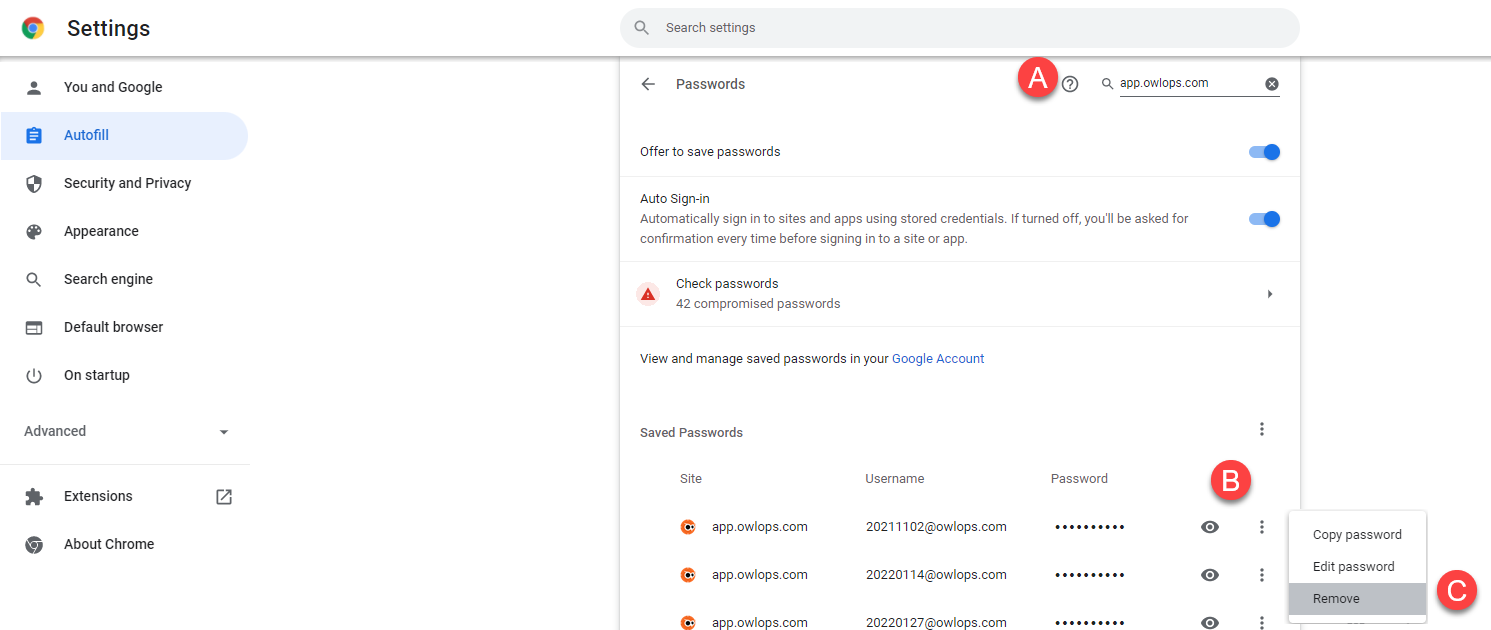
- Browse to chrome://settings/passwords
- Follow these steps:
- Search for app.owlops.com
- Click the dropdown menu beside the password you want to remove (3 dots)
- Press Remove
On iPhone/iPad for Safari:
Follow the Apple instructions here: https://support.apple.com/en-ca/HT211146
Make sure to search for app.owlops.com
On Mac for Safari:
Follow the Apple instructions here: https://support.apple.com/en-ca/HT211145
Make sure to search for app.owlops.com