Step 1:
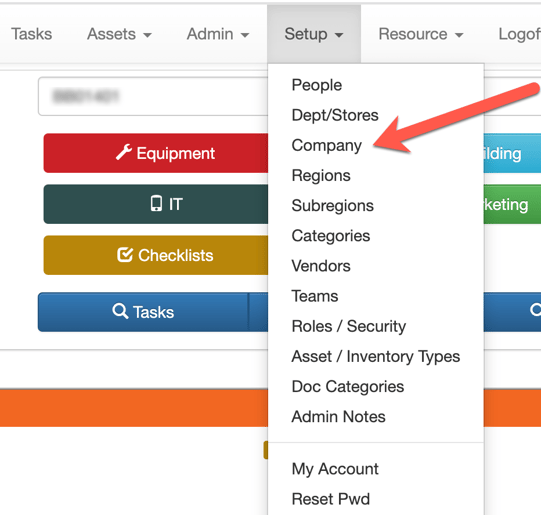
Go to Setup / Company.
Step 2:
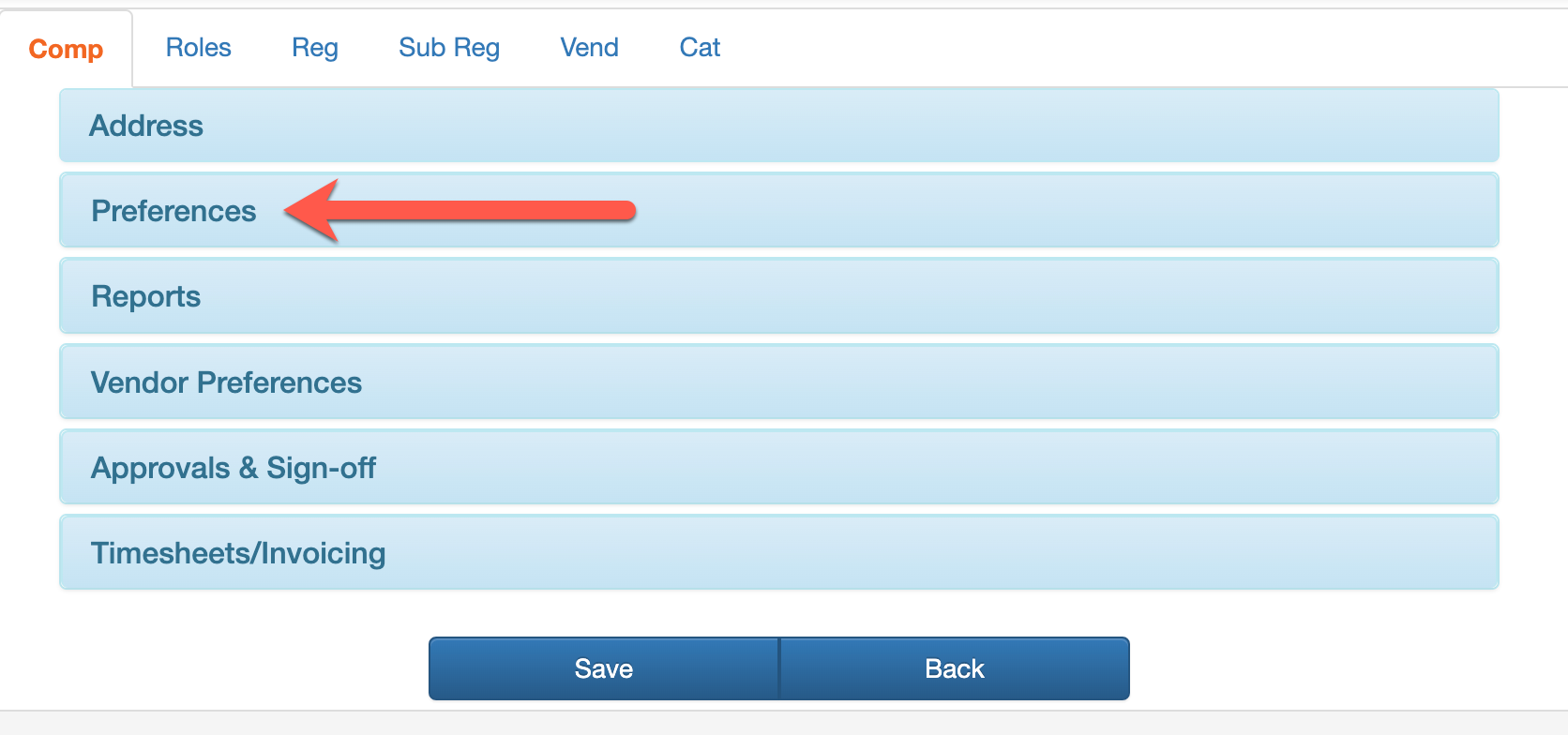
Select Preferences.
Step 3:
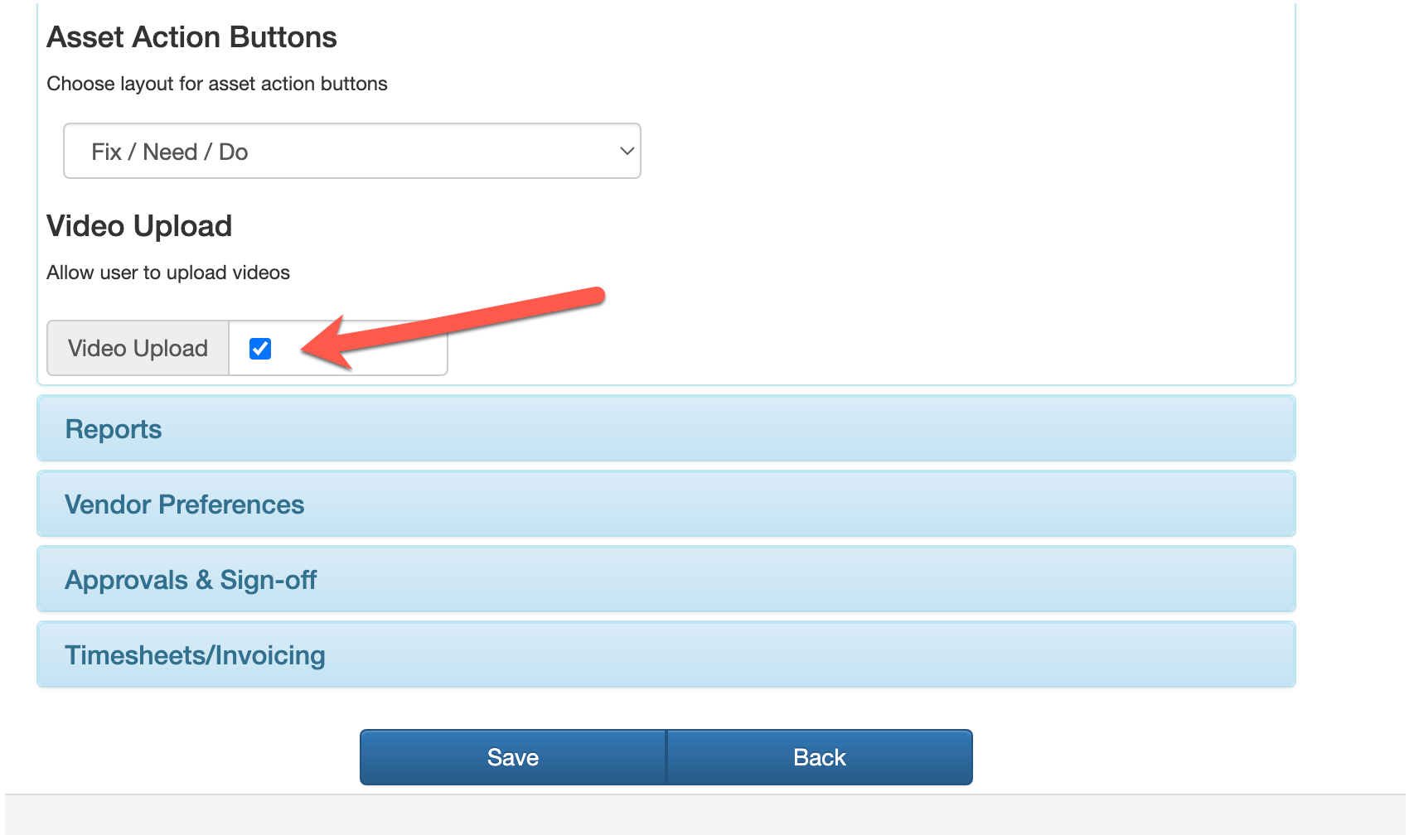
Scroll to the bottom of the Preferences section. Select the Video Upload checkbox to enable. Save.
![owlops-2.png]](https://www.owlops.com/hs-fs/hubfs/owlops-2.png?height=40&name=owlops-2.png)
Go to Setup / Company.
Select Preferences.
Scroll to the bottom of the Preferences section. Select the Video Upload checkbox to enable. Save.