![owlops-2.png]](https://www.owlops.com/hs-fs/hubfs/owlops-2.png?height=40&name=owlops-2.png)
Step 1:
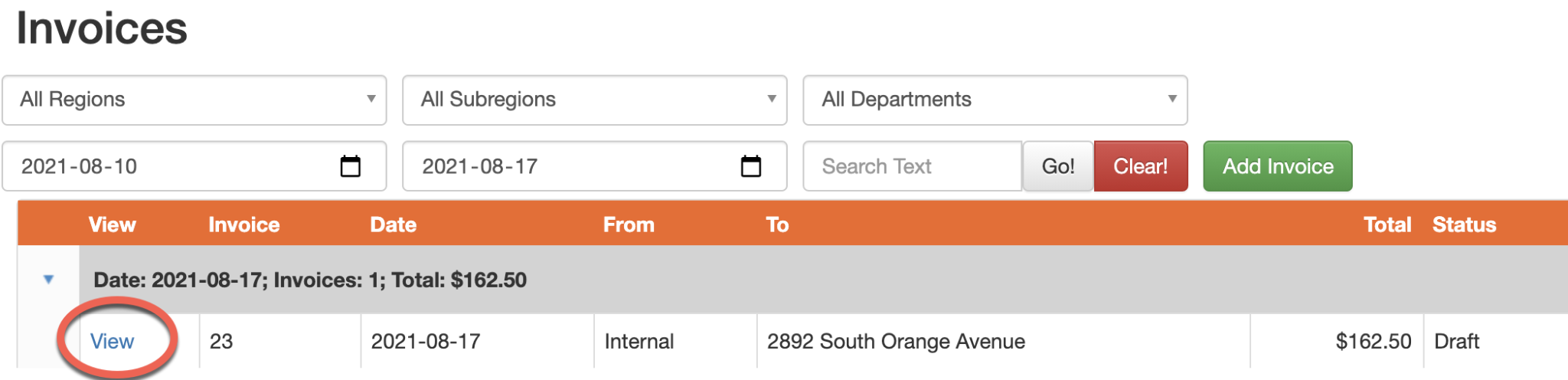
Go to Admin/Invoices.

Step 2:
Filter through according to Region/Department/Date. View the invoice you are looking to edit.
Step 3:
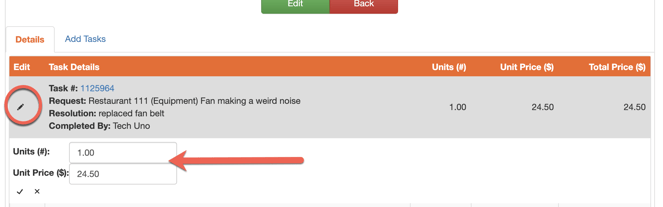
You will see a breakdown of all associated inventory, costs, and hours worked on that specific task.

Step 4:
Select the Edit icon on the left and adjust accordingly.
5. For instruction on how to generate invoice reports click here.