![owlops-2.png]](https://www.owlops.com/hs-fs/hubfs/owlops-2.png?height=40&name=owlops-2.png)
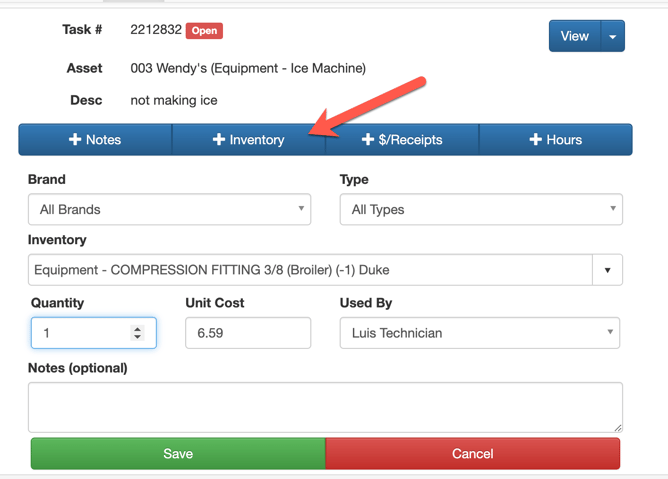
Option 1:
If technicians are set up with timesheets / invoicing, they can apply inventory to a task by selecting the +Inventory tab.
Option 2:
On the normal task screen, select the Parts/Inv tab, select the inventory, enter the quantity used and Save.
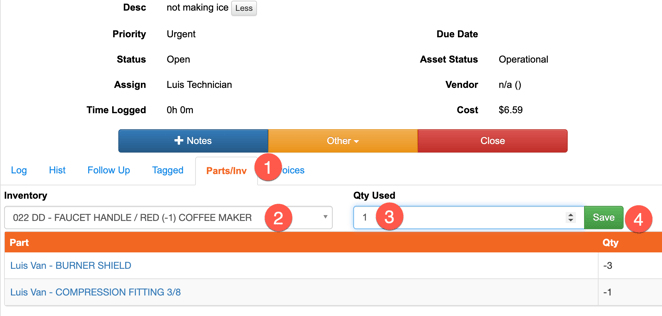
*In both of these options, the inventory used will be decremented from the master inventory list.