Step 1:
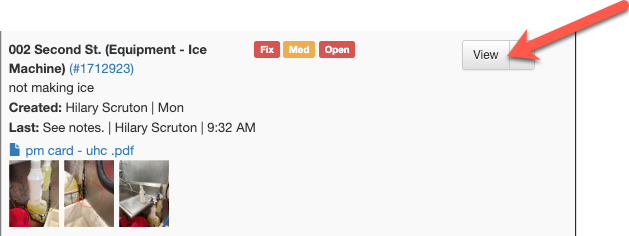
View the task you are looking to remove an attachment from.
Step 2:
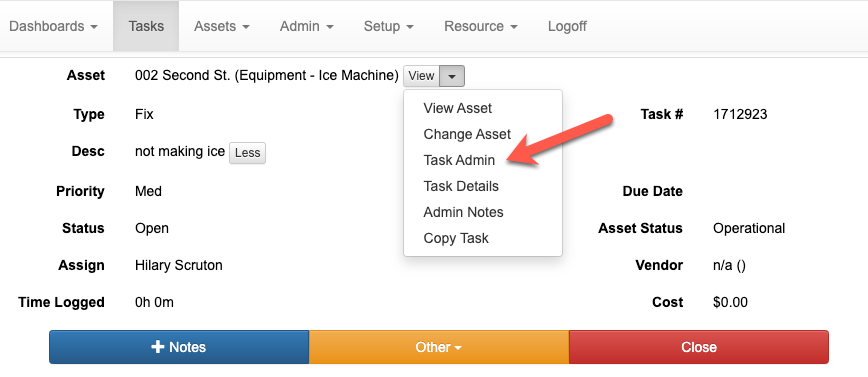
From the 'View' dropdown, select 'Task Admin'.
Step 3:
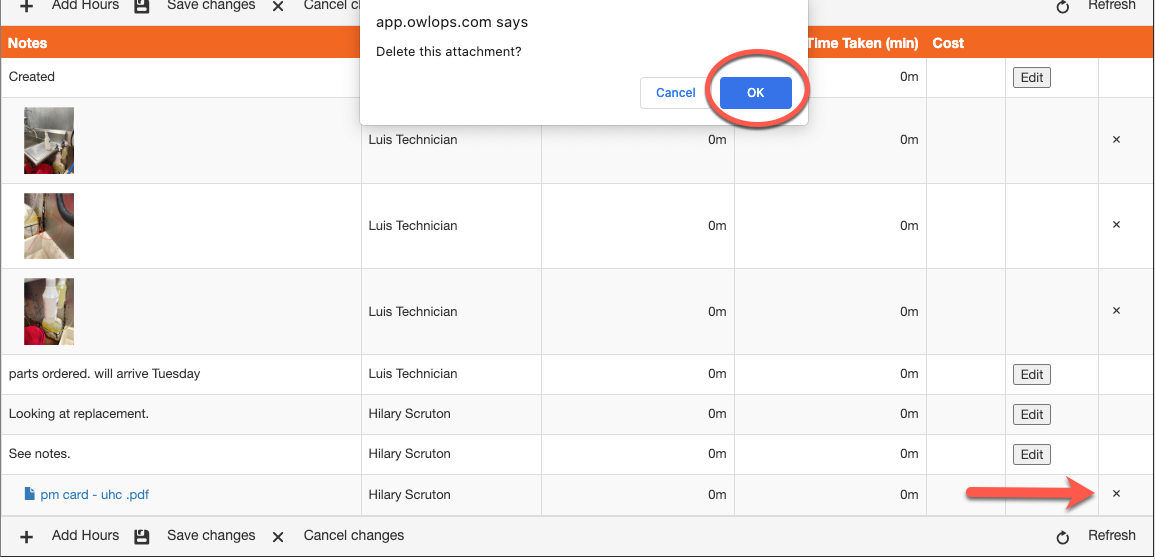
Select the 'x' on the document you wish to remove. Confirm.
![owlops-2.png]](https://www.owlops.com/hs-fs/hubfs/owlops-2.png?height=40&name=owlops-2.png)
View the task you are looking to remove an attachment from.
From the 'View' dropdown, select 'Task Admin'.
Select the 'x' on the document you wish to remove. Confirm.