![owlops-2.png]](https://www.owlops.com/hs-fs/hubfs/owlops-2.png?width=197&height=75&name=owlops-2.png)
The May 2026 OwlOps release focuses on making everyday tasks work faster and easier.
This release includes:
- Faster image uploads and improved screenshot handling
- Multi-image attachments
- A redesigned Task Details experience
- Mobile account switching
- New labor reporting tools
- Custom company branding
- A new Cancel Task workflow
- Public API v1 alpha access
Web Release Updates:
Faster Image Uploads & Multi-Image Attachments
Working with photos and screenshots in OwlOps is now much faster and easier.
What Changed
- Paste screenshots directly into task updates
- Attach multiple images at once
- Improved drag-and-drop support
- Faster image uploads
- More reliable image saving
- Better image thumbnails throughout the app
- Improved landscape image viewing with next/previous navigation
Supported Actions
You can now:
- Copy/paste screenshots directly into updates
- Drag multiple files into task actions
- Upload several photos at once from mobile devices
- View images more cleanly on phones and tablets
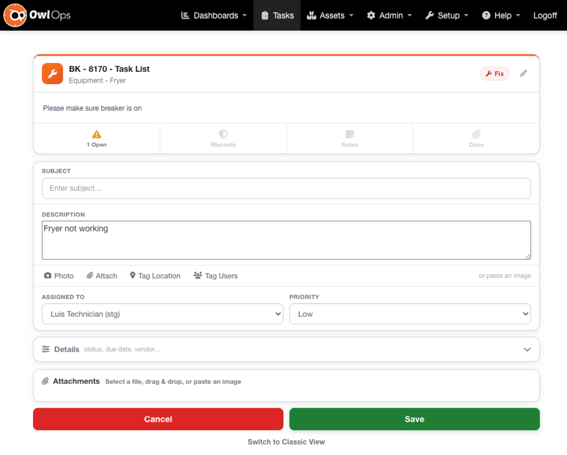
A Modern Task Experience (Beta)
We’ve rebuilt the task creation and task fulfillment screens with a cleaner, faster, and more mobile-friendly layout.
What Changed
- New card-based layout
- Expandable action panels for Updates, Parts, Receipts, Hours, and Close
- Cleaner action bar with overflow menu
- Inline approvals
- Drag-and-drop attachments
- Improved image viewing
- Smart defaults for hours and receipts
- Improved Parts filtering
How To Enable It
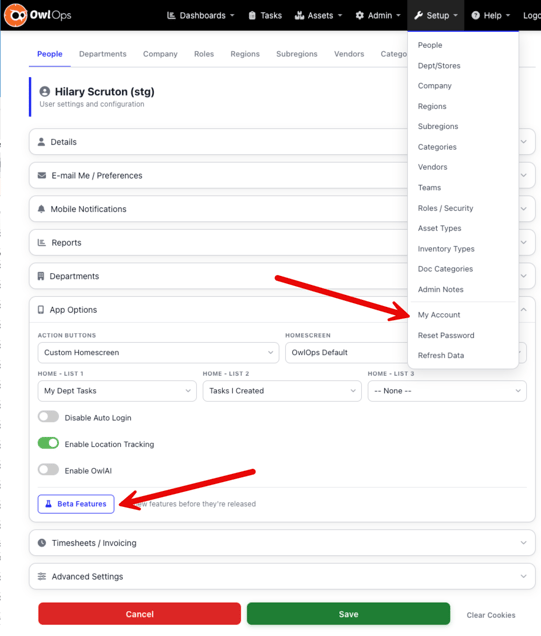
- Click your name in the top-right corner
- Select My Account
- Open App Options
- Click Beta Features
- Enable UX Refresh
You can return to the classic view anytime using the “Switch to Classic View” link at the bottom of refreshed pages.
Cancel Task
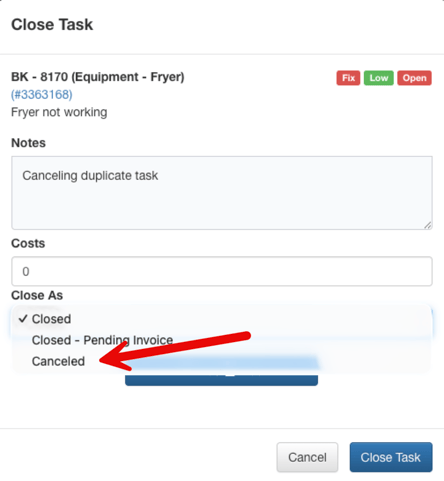
Tasks can now be marked as Cancelled separately from Closed.
This helps teams distinguish completed work from work that was never performed.
What Changed
- New Cancelled task status
- Close and Cancel options in a single dialog
- Cancelled tasks removed from active task lists
- Hold Dates can no longer be set in the past
New Labor Reports
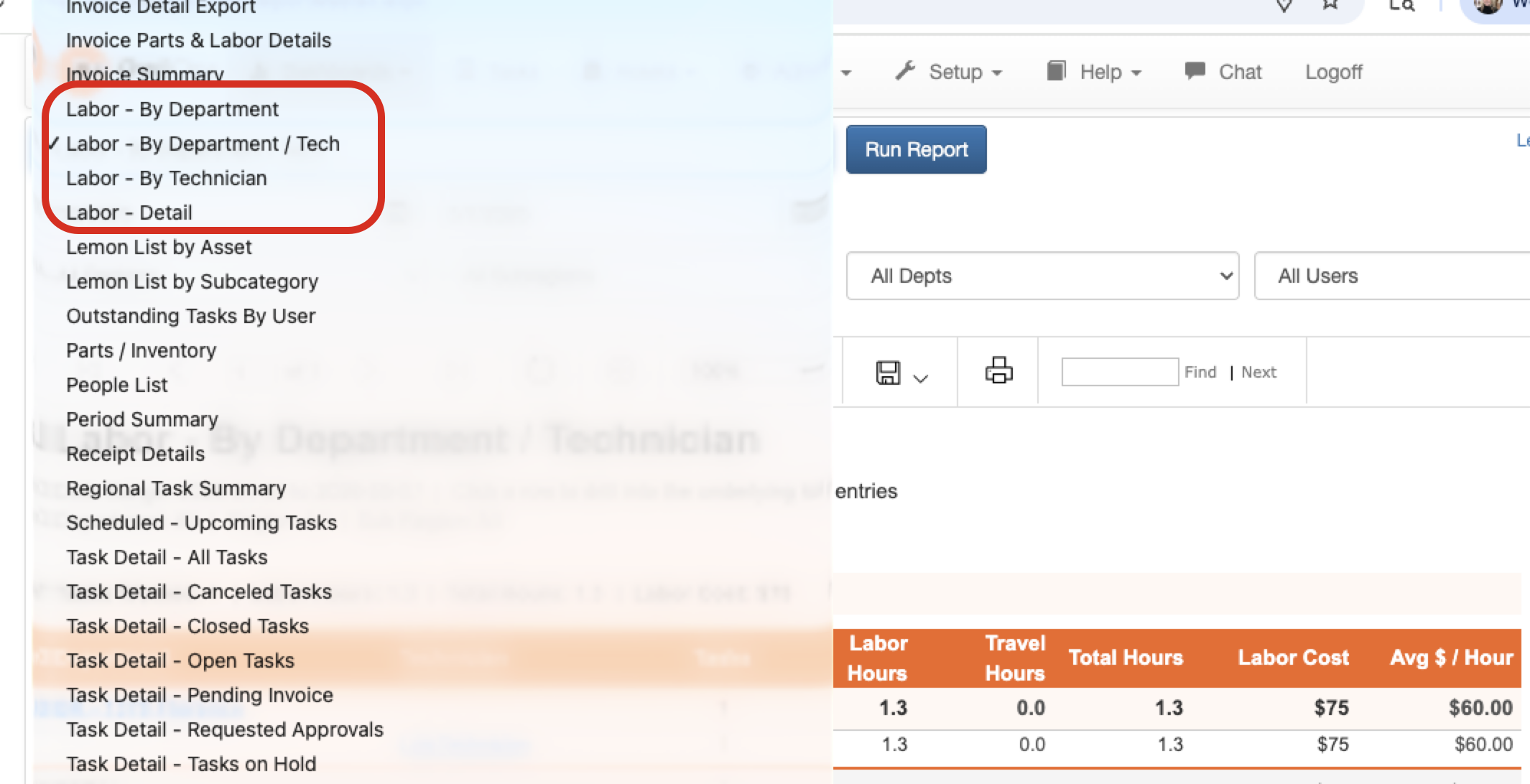
We’ve added a new suite of labor reporting tools.
New Reports
- Labor by Technician
- Labor by Department
- Labor Detail
These reports use tracked time and task labor data as their source.
Additional Reporting Updates
Technician Signoff Report
A new technician signoff report is now available from the Invoice List.
Asset List
The Asset List now includes a Lifetime Cost column.
Lemon List
The Lemon List now supports grouping by:
- Asset
- Subcategory
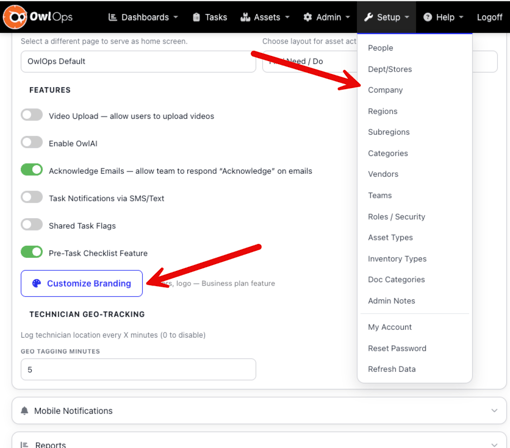
Custom Company Branding
You can now customize OwlOps with your own company branding.
What You Can Customize
- Primary navigation color
- Secondary navigation color
- Company logo
Navigation text automatically adjusts for readability based on your selected colors.
Public API v1 (Alpha)
We’ve launched the alpha version of the OwlOps Public REST API.
Available endpoints include:
- Tasks
- Assets
- TaskLog
- Invoices
Included features:
- API key authentication
- Pagination support
- Swagger documentation
- Postman collection
- Request logging
Interested in API access? Contact the OwlOps team to join the alpha program.
Mobile App Updates:
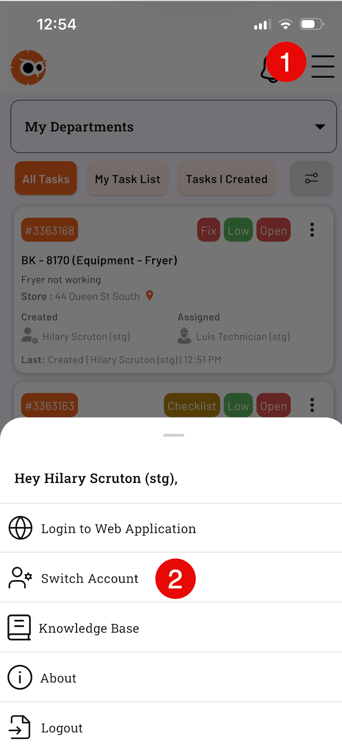
Switch Between Linked Accounts
Users with access to multiple OwlOps accounts can now switch between them directly inside the app without logging out.
How To Switch Accounts
- Open the menu
- Tap Linked Accounts
- Select the account you want to use
Your offline data and drafts remain intact during switching.
Additional Mobile Improvements
- Checklist subtasks now supported
- PDF and DOCX preview inside the app
- Faster image loading
- Improved image thumbnails
- Faster app response times
- Camera zoom fixes
- Improved background location handling
Other Improvements & Fixes
- Mobile task search restored with filter toggle
- Vendor response tooltips added
- Invoice signoff icons added
- Improved image upload reliability
- Technician Performance calculations corrected
- Ghost notification issues resolved
- Password reset emails improved
- Hold Date validation improved
- Image lightbox display fixes
Need Help?
We’d love your feedback on the new experience and features.
— The OwlOps Team