![owlops-2.png]](https://www.owlops.com/hs-fs/hubfs/owlops-2.png?width=197&height=75&name=owlops-2.png)
1. Flag a task
Go to Tasks and locate the task you want to flag.
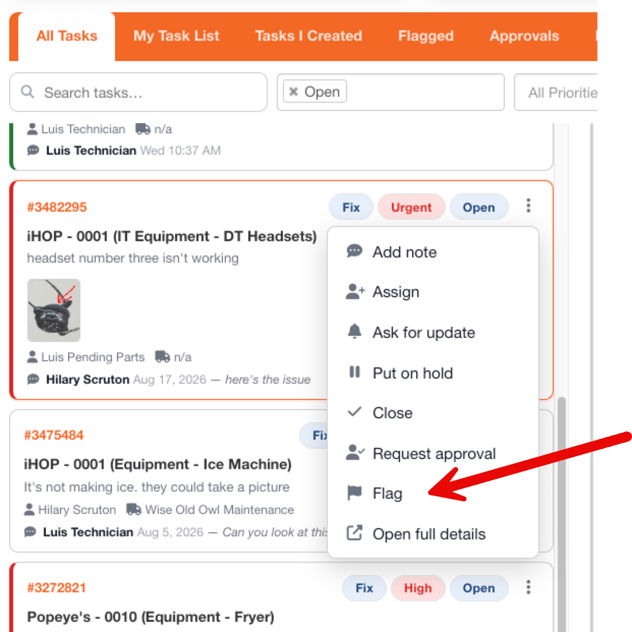
Click the three dots (⋮) on the task to open the Quick Action menu, then select Flag.
A flag will be added to the task.
2. View your flagged tasks
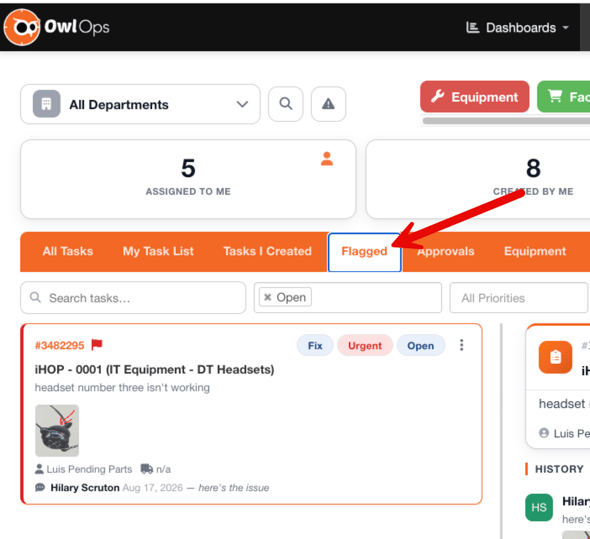
To quickly see the tasks you've flagged, select the Flagged tab at the top of your task list.
This gives you one place to view the tasks you've personally marked for easy reference.
3. Remove a flag
When you no longer need a task flagged:
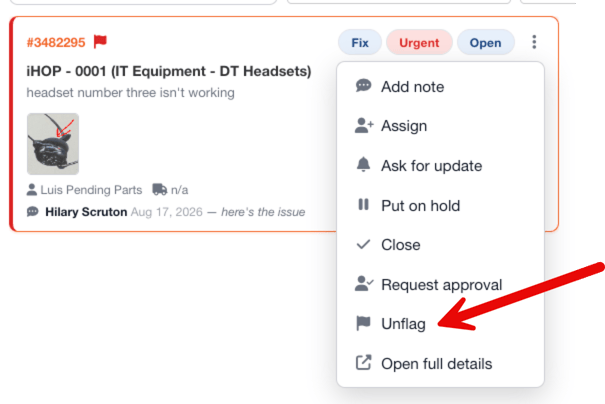
- Click the three dots (⋮) on the task.
- Select Unflag.
Note: When a task is marked as 'flagged', the flag is specific to you and is not a shared flag with anyone else on your team.