![owlops-2.png]](https://www.owlops.com/hs-fs/hubfs/owlops-2.png?width=197&height=75&name=owlops-2.png)
OwlOps has several preloaded checklist templates that you can easily access and enable within your company. To access and add one of our checklist templates, follow these steps.
Steps
-
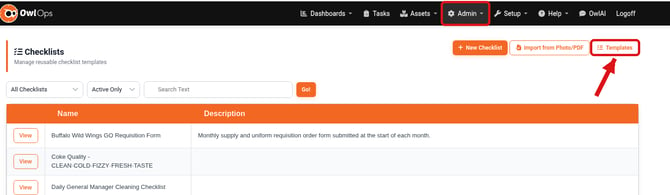
Go to Admin > Checklist and click Templates at the top right.
-
Browse the Checklist Templates list. The For column shows whether a template is for all businesses or for restaurants, so you can find the templates that fit your restaurant or industry.
-
Click Enable next to a template to add it to your company. You can now edit, schedule, and assign the checklist to your team.
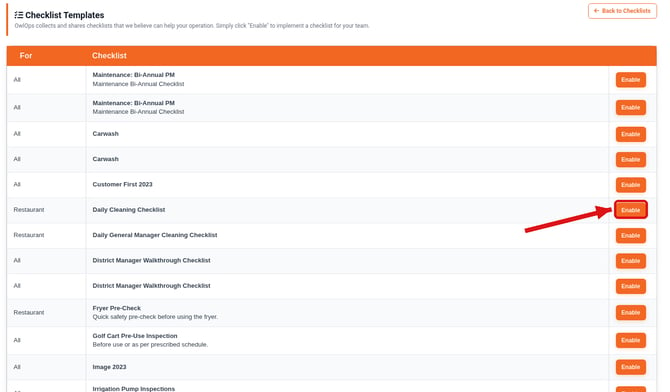
To go back to your own checklists, click Back to Checklists.